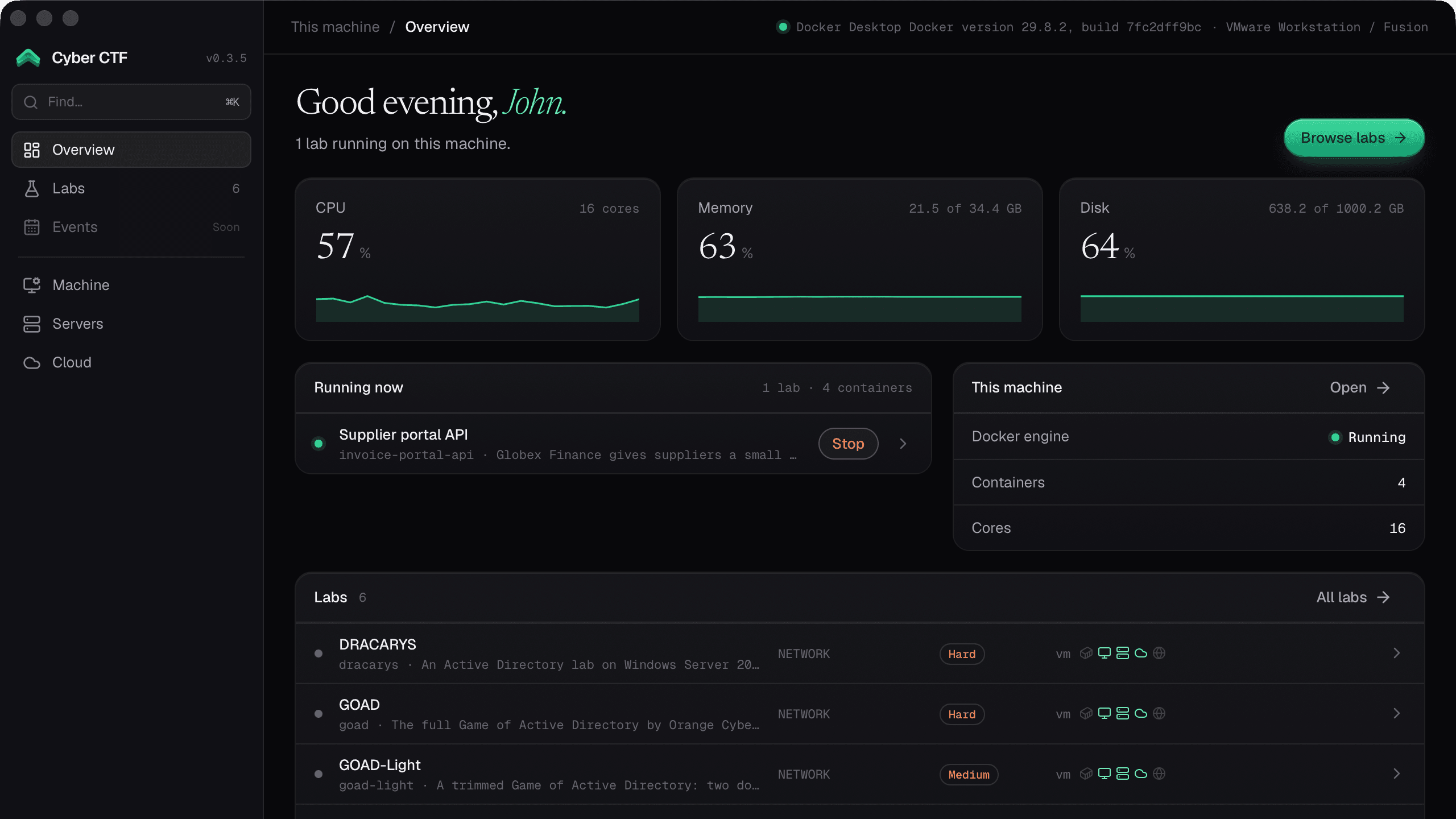
The Cyber CTF launcher.
A small desktop app that downloads labs and runs them as containers or full VMs, on your machine, your own server or your cloud account, with your personal evidence.
v1.9.0
Sign in once
Log in with your Cyber CTF account in the browser; tokens stay in your system keychain.
Guided setup
A step-by-step setup checks your machine, installs what's missing, and runs a real self-test for containers and VMs.
Attack box included
A Kali attack box with its standard toolset joins each lab's network. Prefer Parrot or Exegol? Pick it in Settings.
Pinned and verified
Labs download from their public repository at an exact commit.
Your machine, your server or your cloud
Labs never run on our servers. You choose where each lab runs: the computer in front of you, a server you own, or your own cloud account. Start labs from the website on any device; they run where you picked.
This machine
Containers or full VMs on your laptop or desktop, with the container engine and hypervisor you already use.
Your server
A Proxmox VE or VMware ESXi host at home or in the office runs bigger, multi-machine labs. Its password stays in your system keychain.
Your cloud account
Throwaway instances in your AWS, Azure or Google Cloud account, billed to you, with an automatic stop and a monthly budget guard.
Install
Pick your platform. The launcher updates itself afterwards.
Universal (Apple Silicon and Intel). Not notarized yet, so macOS may ask you to confirm it (right-click the app and choose Open).
Download for macOSOr install with Homebrew
$ brew tap Cyber-Courses/homebrew-tap$ brew trust --tap cyber-courses/tap$ brew install --cask cyberctf
x64 installer. Not signed yet, so Windows SmartScreen may ask you to confirm.
Download for WindowsDebian and Ubuntu (amd64 and arm64), from our signed apt repository.
Download .debOr get the AppImage (Fedora and other distros; AppImages need FUSE 2)Or add the apt repository
$ sudo curl -fsSL https://cyber-courses.github.io/apt/cyberctf-apt.asc -o /usr/share/keyrings/cyberctf.asc$ echo "deb [signed-by=/usr/share/keyrings/cyberctf.asc] https://cyber-courses.github.io/apt stable main" | sudo tee /etc/apt/sources.list.d/cyberctf.list$ sudo apt update && sudo apt install cyber-ctf
Requirements
- 01macOS, Windows, or Linux (Debian, Ubuntu or Fedora, amd64 or arm64)
- 02For container labs: Docker Desktop, OrbStack, Colima or Docker Engine. The launcher uses whichever one is running.
- 03For VM labs: Vagrant and one hypervisor of your choice: VirtualBox, VMware Workstation or Fusion, Parallels, QEMU, UTM, Hyper-V or libvirt. The guided setup installs what it can.
- 04Or skip all that: run labs on your own Proxmox VE or VMware ESXi server, or in your AWS, Azure or Google Cloud account.